Sunday, 28 February 2016

Download Firefox latest version !


Mozilla Firefox is a fast, light and tidy open source web browser. At its public launch in 2004 Mozilla Firefox was the first browser to challenge Microsoft Internet Explorer’s dominance. Since then, Mozilla Firefox has consistently featured in the top 3 most popular browsers globally. The key features that have made Mozilla Firefox so popular are the simple and effective UI, browser speed and strong security capabilities. The browser is particularly popular with developers thanks to its open source development and active community of advanced users.

Easier Browsing
Mozilla put of a lot of resources into creating a simple but effective UI aimed at making browsing quicker and easier. They created the tab structure that has been adopted by most other browsers. In recent years Mozilla has also focused on maximizing browsing area by simplifying toolbar controls to just a Firefox button (which contains settings and options) and back/forward buttons. The URL box features direct Google searching as well as an auto predict/history feature called Awesome Bar. On the right side of the URL box there are bookmarking, history and refresh buttons. To the right of the URL box is a search box which allows you to customize your search engine options. Outside of that a view button controls what you see below the URL. Next to that you have the download history and home buttons.
Speed
Mozilla Firefox boasts impressive page load speeds thanks to the excellent Jager Monkey JavaScript engine. Start up speed and graphics rendering are also among the quickest in the market. Firefox manages complex video and web content using layer-based Direct2D and Driect 3D graphics systems. Crash protection ensures only the plugin causing the issue stops working, not the rest of the content being browsed. Reloading the page restarts any affected plugins. The tab system and Awesome Bar have been streamlined to launch/get results very quickly too.
Security
Firefox was the first browser to introduce a cing feature which allows you to use the internet more anonymously and securely. History, searches, passwords, downloads, cookies and cached content are all removed on shutdown. Minimizing the chances of another user stealing your identity or finding confidential information. Content security, anti-phishing technology and antivirus/antimalware integration ensures your browsing experience is as safe as possible.
Personalisation & Development
One of the best features of the Firefox UI is customization. Simply right click on the navigation toolbar to customize individual components or just drag and drop items you want to move around. The inbuilt Firefox Add-ons Manager allows you to discover and install add-ons within the browser as well as view ratings, recommendations and descriptions. Thousands of customizable themes allow you to customize the look and feel of your browser. Site authors and developers can create advanced content and applications using Mozilla’s open source platform and enhanced API.
Screen shots:


Download link:



Wednesday, 3 February 2016

Snap Tube – Down-loader HD video V4.1.1.8 APK is Here ! Latest

Snap Tube – Down-loader HD video V4.1.1.8 APK is Here ! Latest


SnapTube – YouTube Downloader HD Video 
SnapTube – The downloader videos and music easier from YouTube.
DOWNLOAD IN MULTIPLE RESOLUTIONS
MP4 videos are available in resolutions: choose the small size of 360 pixels or the high-definition 720 pixels.
DIRECT MP3 DOWNLOADS
Download any YouTube music video directly as an MP3 file. No extra encoding process or plugin needed. Save space and listen to your favorite music video anytime you want.
SEARCH VIDEOS WITH KEYWORDS
Search a video with keywords. Easily find the exact video you want.
DISCOVER NEW VIDEOS
Explore videos in your favorite categories like Music and Movies. Discover new videos with recommended lists from our curators.
MANAGE VIDEO DOWNLOADS
Pause, cancel or resume a video download. Delete the videos you don’t need anymore. Manage all of your video downloads in one place.
What’s in Mod
  1. Clean design lets you focus on your videos.
How to Install ?
  1. Download & Install APK
  2. Enjoy :)
Screenshots :


Download link:


Monday, 18 January 2016

Blue-stacks App Player for PC and Mac

Blue-stacks App Player is a great tool for allowing you to run your favorite mobile apps/games in full screen in your browser using a PC or Mac. (latest)
Blue-stacks App Player Key Features


  • Fully customizable environment
  • Support for multiple OS configurations
  • Google Play integration
Once installed, Blue-stacks App Player can be configured to work with your choice of popular social media platforms i.e. Facebook or Twitter. As the environment runs Android apps, you can configure Blue-stacks App Player to work with your Google Play account, so you can access all your favorite apps and games!
The user interface of Blue-stacks App Player can be totally configured to suit your needs. Additionally, it is capable of integrating with the custom software experiences which are designed and developed by PC manufacturers.
Blue-stacks App Player supports multiple languages.
You can enjoy a full Android environment through Blue-stacks App Player, or if you choose, you can just install Android app icons directly onto the Windows desktop.
Screen shots:

Download link:

Friday, 8 January 2016

iSyncr – Sync your Android phone with iTunes 12.2 Library

iSyncr – Sync your Android phone with iTunes 12.2 Library !


iSyncr – Sync your Android with iTunes (Premium APK)

iTunes for Windows, or iTunes for Mac OS 10.5+ required.
Want to stop carrying both your Android and your iPod? iSyncr enables you to quickly sync your Android device with the music you have in iTunes using USB or WiFi. No need to move your music into a new music management software. iSyncr works directly with iTunes so you can sync hassle-free.
Features
  • Works with your existing iTunes playlists for fast setup
  • Sync with a cord over USB or sync wirelessly with a WiFi connection
  • Also works over MTP, unlike other top solutions
  • Include album art with your music to enjoy on your phone
  • Sync your ratings, play counts, skip counts, last played date, and last skipped date between iTunes and your phone to keep your smart playlists up to date
  • Have a device with internal and external memory? Choose which drive each playlist syncs to
  • Sync with multiple iTunes Libraries
  • Create smart playlists on your phone using the Live Lists feature
  • Sync your MP3 downloads on your phone back to your iTunes library
  • Sync your video and podcasts for a complete iPod replacement
  • Sync Android playlists back to your computer
  • Automate wireless syncing of your music and videos on a schedule
  • Easy to use tablet interface
Combine iSyncr with our free Rocket Player music player to take advantage of these additional features:
  • Sync new playlists and playlist changes back to iTunes
  • Sync podcast bookmarks to and from iTunes
  • iSyncr Live Lists dynamically update while playing
  • Sync video play counts
Note: This app will not sync copy protected music or videos but will alert you to which songs will not be synced to your device.
For information on how to get started and to learn about more features and options for using iSyncr to sync your music visit our site.
WHAT’S NEW
Enjoying iSyncr? Help us out with a good rating!
  • Version 5.8.0.78
  • iTunes 12.2 support
  • DNG photo sync support for HTC M9
  • Version 5.8.0.46
  • More speed for Android 5.0!
  • Version 5.8.0.18
** Fixed: Better Lollipop support, fixes error code 31
** Fixed: License file issue
  • Version 5.7.6
** Fixed: Small speed improvement on KitKat
How to Install?
  1. Download Apk from the link below.
  2. On your Android device, go to settings > security > allow unknown sources.
  3. Locate the downloaded APK file on your phone and tap it to begin installation.
  4. Proceed with the installation and finish it.
  5. All Done. Enjoy!
Screenshots:

Download link:
 Download here!


Monday, 4 January 2016

7 steps to speed up Google Chrome

7 steps to speed up Google Chrome


I realized that Google Chrome had begun to get slow and bloated, and since there's no new streamlined browser I can switch to, I decided to see if I could speed things up a bit. Here's what I did!
Many year's ago I switch from Internet Explorer to Firefox because Internet Explorer had become slow and bloated.Then a few years later I dumped Firefox for Google Chrome because,Yes, you guessed it, Firefox had become slow and bloated.
Well, the other day I realized that Google Chrome had begun to get slow and bloated , and since there's no new streamlined browser I can switch to, I decided to see if I could speed things up a bit.
After going through these steps, my installation of Google Chrome felt noticeably faster and snappier. Good luck speeding up your browser.
Note: These tips work for both Mac and Windows (and some even work for Linux!).

#1: UPDATE CHROME

If you've not closed Google Chrome in a while then perhaps there's an update waiting for you "You can tell if there's an update on later releases of Chrome because the burger menu will change from green to yellow and then red to signify how out-of-date the browser you are running is".
7 steps to speed up Google Chrome
To force Chrome to check for an update type chrome://help and follow any prompts.

#2: DISABLE UNWANTED EXTENSIONS

Type chrome://extensions into the address bar and disable any unwanted extensions. Either uncheck the box to disable the extension or click the trash can to delete it.

#3: DISABLE UNWANTED PLUGINS

Type chrome://plugins into the address bar and disable any unwanted plugins. Just click the link to disable.

#4: SMOOTHER SCROLLING

Type chrome://flags into the address bar and find Enable fast tab/windows close. This option speeds up Chrome by allowing it to close windows separate to any JavaScript code that might be running. Then click the RELAUNCH NOW button at the bottom of the screen to apply the setting.
Note that this is an experimental feature and be sure to read the warnings at the top of the settings page in Chrome. To undo any changes click the Reset all to default button.

#5: TAB DISCARDING

Type chrome://flags into the address bar and find Enable tab discarding. This option speeds up Chrome by allowing tabs in the background to be discarded from memory if it's getting low. Then click the RELAUNCH NOW button at the bottom of the screen to apply the setting.
Note that this is an experimental feature and be sure to read the warnings at the top of the settings page in Chrome. To undo any changes click the Reset all to default button.

#6: CLEAR THE CACHE

If you're getting low on disk space then you might find Chrome will speed up if you clear the cache.Type chrome://settings/clear Browser Data into the address bar and I'd suggest choosing only the Cached images and files option.For best results clear items from the beginning of time.

#7: CHECK FOR SPYWARE AND OTHER JUNK

Windows users can make use of Google's Software Removal Tool. It might also be a good idea to scan the system using something such as Malware byte's Anti-Malware.
Mac users can check out Malware byte's Anti-Malware for Mac (don't believe the nonsense that Macs can't have viruses or malware - that may have been true a decade ago, but it's not true today).


Sunday, 3 January 2016

ShowBox v4.27 Build 64 APK

ShowBox v4.27 Build 64 APK – Watch Latest Movies And TV Shows In HD ! Latest 


ShowBox Apk – Watch Latest Movies And TV Shows In HD

Show Box is a free movies and TV shows streaming app for the Android.With Show Box App Apk you can watch latest movies and TV shows for free from your android device.It is regarded as one of the best free Android apps as it allows users to watch movies and TV in HD for free.Watch your favorite TV show  episode's ,drama's and movies you missed last week or download latest movies to your device.And save money spent on DVD’s,Blu Ray's and Cinema Theater.
Features!
  • Download lates movies in HD.
  • Stream latest movies in HD.
  • Download or Stream Latest TV shows in HD.
  • Stream using MX Player.
  • Internal Video Player also included.
  • Add subtitle to any movie or TV Show.
Screen shots:


Download Links:


Saturday, 2 January 2016

Screen Recorder Pro- No-Root APK

Screen Recorder Pro- No-Root v1.08 APK is Here ! [Latest][No-Root]


Screen Recorder No-Root 
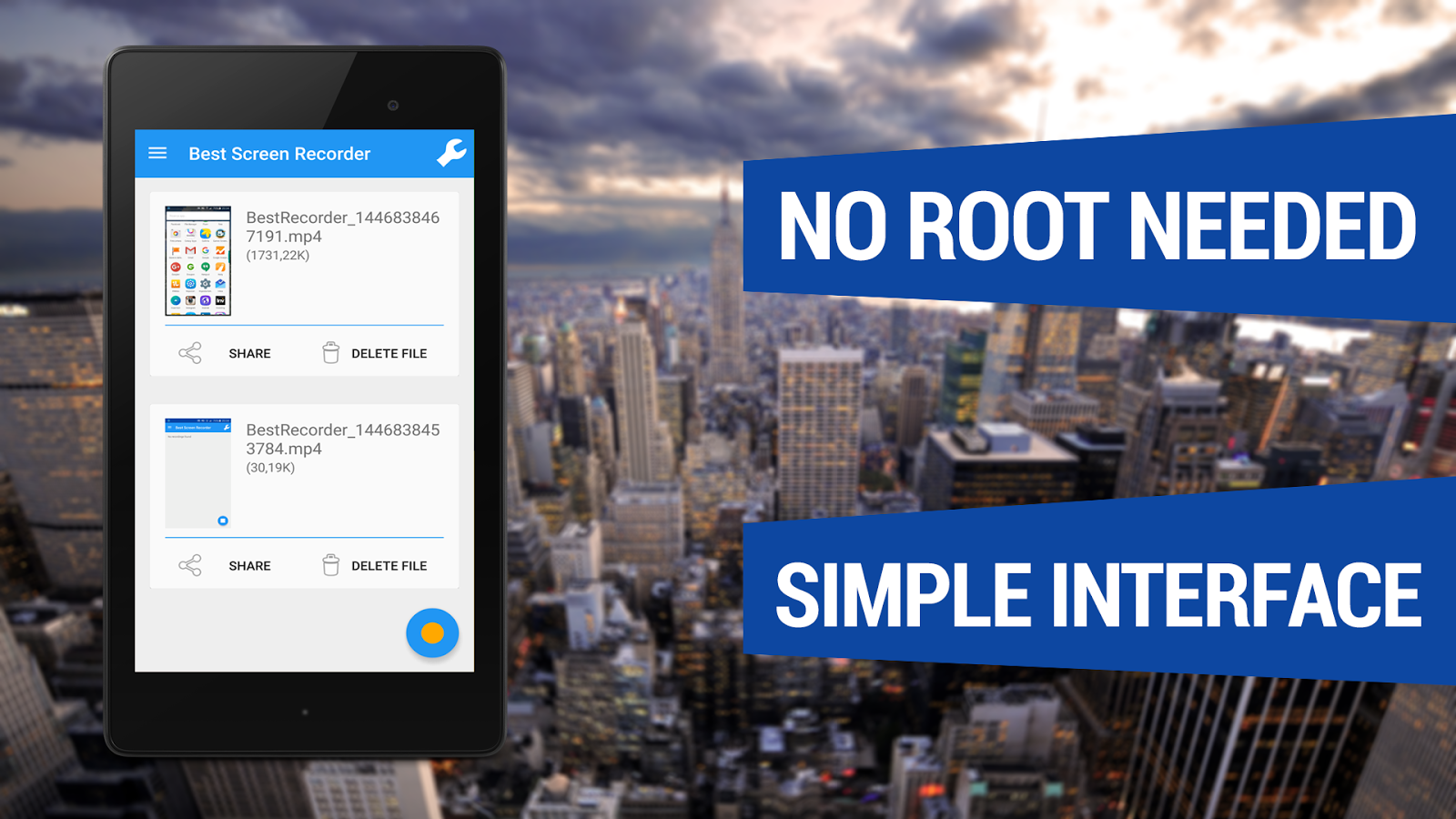
With Best Screen Recorder No-Root you can easily capture your phone/tablet screen to a MPEG4 Full-HD video + audio file at a high frame rate. It is the best screen recording software for Android!
Many users utilize this app to record
  • All types of GAMES with Very High Frame Rate!
  • Video Tutorials
  • Video Calls
  • Promotional or demo videos for their apps
  • Incoming/Outgoing Phone calls
  • Hundreds of other purposes!
In the Settings Menu there are advanced settings that you can customize like Resolution, Frame Rate, Video Bitrate, Starting Countdown, record with or without Audio and the Video Duration.
Here are some other COOL features
  • Android Wear compatible
  • Front camera screen overlay
  • Shake device to stop recording
  • Shake device to take a screenshot
  • Lock device to stop recording
  • You can now record audio
This app records screen without ROOT access on ALL supported smartphones!
How to Install?
  1. Download apk file drom below link
  2. Make sure you have enabled Unknown Sources(Settings>>Security>>Unknown Sources)
  3. Install apk on your android device
  4. All done, Enjoy :) !