
app for window
latest version
Latest Version of Skype + Multi Skype
leatest
Live
Multi luncher
new
pc-softs
pctool
Skype Latest version
window 10 pro
window 8.1 lite
window 8.1 pro
| 05:58
|
No Comments
Friday, 22 January 2016


Monday, 18 January 2016
android
apk
app for window
blue
bluestacks
bluestacks app
blueStacks App Player
HD
iTunes for Windows
latest
new
pc-softs
pctool
stack
| 07:07
|
No Comments
Blue-stacks App Player for PC and Mac
Blue-stacks App Player is a great tool for allowing you to run your favorite mobile apps/games in full screen in your browser using a PC or Mac. (latest)
Blue-stacks App Player Key Features

- Fully customizable environment
- Support for multiple OS configurations
- Google Play integration
Once installed, Blue-stacks App Player can be configured to work with your choice of popular social media platforms i.e. Facebook or Twitter. As the environment runs Android apps, you can configure Blue-stacks App Player to work with your Google Play account, so you can access all your favorite apps and games!
The user interface of Blue-stacks App Player can be totally configured to suit your needs. Additionally, it is capable of integrating with the custom software experiences which are designed and developed by PC manufacturers.
Blue-stacks App Player supports multiple languages.
You can enjoy a full Android environment through Blue-stacks App Player, or if you choose, you can just install Android app icons directly onto the Windows desktop.
Screen shots:


Download link:

Friday, 8 January 2016
android
apk
downloads
iPhone
iPod touch
iSyncr
iTunes for Mac
iTunes for Windows
latest
new
news
Sync Android phone with iTunes Library
| 06:41
|
No Comments
iSyncr – Sync your Android phone with iTunes 12.2 Library
iSyncr – Sync your Android phone with iTunes 12.2 Library !

iSyncr – Sync your Android with iTunes (Premium APK)
iTunes for Windows, or iTunes for Mac OS 10.5+ required.
Want to stop carrying both your Android and your iPod? iSyncr enables you to quickly sync your Android device with the music you have in iTunes using USB or WiFi. No need to move your music into a new music management software. iSyncr works directly with iTunes so you can sync hassle-free.
Features
- Works with your existing iTunes playlists for fast setup
- Sync with a cord over USB or sync wirelessly with a WiFi connection
- Also works over MTP, unlike other top solutions
- Include album art with your music to enjoy on your phone
- Sync your ratings, play counts, skip counts, last played date, and last skipped date between iTunes and your phone to keep your smart playlists up to date
- Have a device with internal and external memory? Choose which drive each playlist syncs to
- Sync with multiple iTunes Libraries
- Create smart playlists on your phone using the Live Lists feature
- Sync your MP3 downloads on your phone back to your iTunes library
- Sync your video and podcasts for a complete iPod replacement
- Sync Android playlists back to your computer
- Automate wireless syncing of your music and videos on a schedule
- Easy to use tablet interface
Combine iSyncr with our free Rocket Player music player to take advantage of these additional features:
- Sync new playlists and playlist changes back to iTunes
- Sync podcast bookmarks to and from iTunes
- iSyncr Live Lists dynamically update while playing
- Sync video play counts
Note: This app will not sync copy protected music or videos but will alert you to which songs will not be synced to your device.
For information on how to get started and to learn about more features and options for using iSyncr to sync your music visit our site.
WHAT’S NEW
Enjoying iSyncr? Help us out with a good rating!
- Version 5.8.0.78
- iTunes 12.2 support
- DNG photo sync support for HTC M9
- Version 5.8.0.46
- More speed for Android 5.0!
- Version 5.8.0.18
** Fixed: Better Lollipop support, fixes error code 31
** Fixed: License file issue
** Fixed: License file issue
- Version 5.7.6
** Fixed: Small speed improvement on KitKat
How to Install?
- Download Apk from the link below.
- On your Android device, go to settings > security > allow unknown sources.
- Locate the downloaded APK file on your phone and tap it to begin installation.
- Proceed with the installation and finish it.
- All Done. Enjoy!
Screenshots:

Download link:
downloads
english itool version
english version of itool
how to sned music or file from pc to
iPad
iPhone
iPod touch
itool latest version
iTunes for Mac
iTunes for Windows
leatest
new
pc-softs
pctool
| 06:10
|
No Comments
iTunes for Windows, or iTunes for Mac
A synchronizing and management solution for your iPad, iPhone, iPod touch, which can be used to create ringtones, download firmware or backup messages

iTunes for Windows, or iTunes for Mac
iTools is a lightweight application designed to help iPad, iPhone, iPod touch users manage their files much easier.
The program supports the latest device versions and as most applications of its type, it needs iTunes to connect to your device. Thus, at the first run, it automatically detects whether you have iTunes installed on your PC on not.
The interface is simple and well-organized, allowing you to browse the local computer library, as well as the device contents. Once your device is connected, you are able to view the media files, photos, iBooks and other documents it contains.
The local library is organized in three sections, one for device applications, the second for media files and the third for other tools. The 'Application' module allows you to add several programs in IPA or PXL format and install them on your device. Furthermore, you can assign customized tags to each application, in order to identify them easier.
The second section is dedicated to the media files that you want to import from your PC, whether it is music, ringtones or wallpapers. In addition to this, iTools features a ringtone maker, allowing you to choose a music file and create your own ringtones with just a few clicks.
You can add as many files as you want and listen to them using the built-in player. The wallpaper section enables you to preview and sort the pictures you add before importing them to your device.
Another advantage of the program is the backup feature. You can use iTools to backup and restore your folders, apps, SMS messages, contacts, call history and system settings.
PXL packages can be converted to the IPA format, as installing a program pack in the latter one is considered safer than in the PXL format.
Managing your iPad, iPhone or iPod contents is easier when you use a program such as iTools. Ease of use, combined with backup and file management features make it a viable solution for transferring files between your device and the PC.
Screen Shots:


Download link:
Monday, 4 January 2016
best browser
chrome speedup
downloads
fast browser
google chrome
how-to
latest
leatest
more
new
slow
| 04:18
|
No Comments
7 steps to speed up Google Chrome
7 steps to speed up Google Chrome

I realized that Google Chrome had begun to get slow and bloated, and since there's no new streamlined browser I can switch to, I decided to see if I could speed things up a bit. Here's what I did!
Many year's ago I switch from Internet Explorer to Firefox because Internet Explorer had become slow and bloated.Then a few years later I dumped Firefox for Google Chrome because,Yes, you guessed it, Firefox had become slow and bloated.
Well, the other day I realized that Google Chrome had begun to get slow and bloated , and since there's no new streamlined browser I can switch to, I decided to see if I could speed things up a bit.
After going through these steps, my installation of Google Chrome felt noticeably faster and snappier. Good luck speeding up your browser.
Note: These tips work for both Mac and Windows (and some even work for Linux!).
#1: UPDATE CHROME
If you've not closed Google Chrome in a while then perhaps there's an update waiting for you "You can tell if there's an update on later releases of Chrome because the burger menu will change from green to yellow and then red to signify how out-of-date the browser you are running is".

To force Chrome to check for an update type chrome://help and follow any prompts.
#2: DISABLE UNWANTED EXTENSIONS
Type chrome://extensions into the address bar and disable any unwanted extensions. Either uncheck the box to disable the extension or click the trash can to delete it.
#3: DISABLE UNWANTED PLUGINS
Type chrome://plugins into the address bar and disable any unwanted plugins. Just click the link to disable.
#4: SMOOTHER SCROLLING
Type chrome://flags into the address bar and find Enable fast tab/windows close. This option speeds up Chrome by allowing it to close windows separate to any JavaScript code that might be running. Then click the RELAUNCH NOW button at the bottom of the screen to apply the setting.
Note that this is an experimental feature and be sure to read the warnings at the top of the settings page in Chrome. To undo any changes click the Reset all to default button.
#5: TAB DISCARDING
Type chrome://flags into the address bar and find Enable tab discarding. This option speeds up Chrome by allowing tabs in the background to be discarded from memory if it's getting low. Then click the RELAUNCH NOW button at the bottom of the screen to apply the setting.
Note that this is an experimental feature and be sure to read the warnings at the top of the settings page in Chrome. To undo any changes click the Reset all to default button.
#6: CLEAR THE CACHE
If you're getting low on disk space then you might find Chrome will speed up if you clear the cache.Type chrome://settings/clear Browser Data into the address bar and I'd suggest choosing only the Cached images and files option.For best results clear items from the beginning of time.
#7: CHECK FOR SPYWARE AND OTHER JUNK
Windows users can make use of Google's Software Removal Tool. It might also be a good idea to scan the system using something such as Malware byte's Anti-Malware.
Mac users can check out Malware byte's Anti-Malware for Mac (don't believe the nonsense that Macs can't have viruses or malware - that may have been true a decade ago, but it's not true today).
Sunday, 3 January 2016
android
apk
downloads
how-to
new
news
showbox
showbox v2.
showboxlatst
test
tips
| 05:25
|
3 Comments
How to Install ShowBox v4.27 Build 64 Mod APK
How to Install ShowBox v4.27 Build 64 Mod APK !

- Download the apk from the link given below.
- Install the apk.
- Go to Settings > Security > Unknown Sources and make it allowable. Different smartphones have Unknown Sources location at different places but finding it on your mobile is pretty easy.4. Now Go to the file location where you have downloaded the ShowBox apk file & click on it.5. When you click on showbox apk, it will ask your permission. Now click onNext button to accept terms & conditions of Showbox as shown in below figure.
6. After clicking on Next, it will ask for Install. press on Install button and wait until Showbox install automatically.
7. When Showbox gets installed automatically, Now you will see a button Open to start watching movies on Showbox. You could click on Done if you wish to use this app later. Now Open ShowBox to watch movies…8. When you open the ShowBox app for the first time – It loads some data related to movies and TV shows. Wait until it loads the data.9. After loading the data, App presents huge amount of Movies & TV shows on the screen. Click on your favorite movie and enjoy the movie at the instant. Watch ShowBox Movies here… Open & njoy !!


android
apk
downloads
how-to
latest
leatest
more
new
showbox
showbox v2.
showboxlatst
| 04:52
|
No Comments
ShowBox v4.27 Build 64 APK
ShowBox v4.27 Build 64 APK – Watch Latest Movies And TV Shows In HD ! Latest

ShowBox Apk – Watch Latest Movies And TV Shows In HD
Show Box is a free movies and TV shows streaming app for the Android.With Show Box App Apk you can watch latest movies and TV shows for free from your android device.It is regarded as one of the best free Android apps as it allows users to watch movies and TV in HD for free.Watch your favorite TV show episode's ,drama's and movies you missed last week or download latest movies to your device.And save money spent on DVD’s,Blu Ray's and Cinema Theater.
Features!
- Download lates movies in HD.
- Stream latest movies in HD.
- Download or Stream Latest TV shows in HD.
- Stream using MX Player.
- Internal Video Player also included.
- Add subtitle to any movie or TV Show.
Screen shots:


Download Links:
iFont (Expert of Fonts) v5.6.1 Unlocked APK
iFont (Expert of Fonts) v5.6.1 Unlocked APK is Here ."LATEST"

The best Font Installer(iFont Expert of Fonts) on Android is Coming back!
The app is designed to install beautiful fonts on your phone. You can download and use hundreds of fonts to make your phone become lovely. It ‘s easy to change your system font! Beautiful fonts,stylish fonts,Beautiful mood!
Do you want let your phone has become distinctive as well as more beautiful?It ‘s easy to change system font. Integrated hundreds of exquisite lovely font, easily change the system font, the simple change mood! Font blossoms, personalized I dominate! So monotonous phone interface look! Let you have a happy mood every day, love life, love fonts.Font blossoms, personalized I dominate! So monotonous phone interface look! Let you have a happy mood every day.
Best Font Style Application for Android!
Hundreds of handpicked fonts that works for your phone
Be one of the first to get it and surprise your friends with one of these amazing fonts 😉
Hundreds of handpicked fonts that works for your phone
Be one of the first to get it and surprise your friends with one of these amazing fonts 😉
★★Support All Galaxy Model's Galaxy S3,S4,Note,Note II without Root change font ,without need reboot!★★
Select from hundreds of custom fonts to install system wide! Preview, backup, install from SD card and share your fonts.
Support!Korean,Japanese,Arabic,Russian,French,Spanish,Vietnamese,Myanmar… font
Change the font, Change your mood!
Main functions:
1.Support Samsung, XiaoMi (MIUI), Meizu,HuaWei(Emotion UI)phone perfect replacement font
2.Support Htc, Sony, Motolora phone replacement font
3.Support to modify the font size, support for custom fonts
4.Easy to operate,eliminate the tedious steps.
5.Automatic backup fonts easily restore the factory font
6.Change font size.
Main functions:
1.Support Samsung, XiaoMi (MIUI), Meizu,HuaWei(Emotion UI)phone perfect replacement font
2.Support Htc, Sony, Motolora phone replacement font
3.Support to modify the font size, support for custom fonts
4.Easy to operate,eliminate the tedious steps.
5.Automatic backup fonts easily restore the factory font
6.Change font size.
Screenshots :


Download & Links :

Saturday, 2 January 2016
Screen Recorder Pro- No-Root APK
Screen Recorder Pro- No-Root v1.08 APK is Here ! [Latest][No-Root]
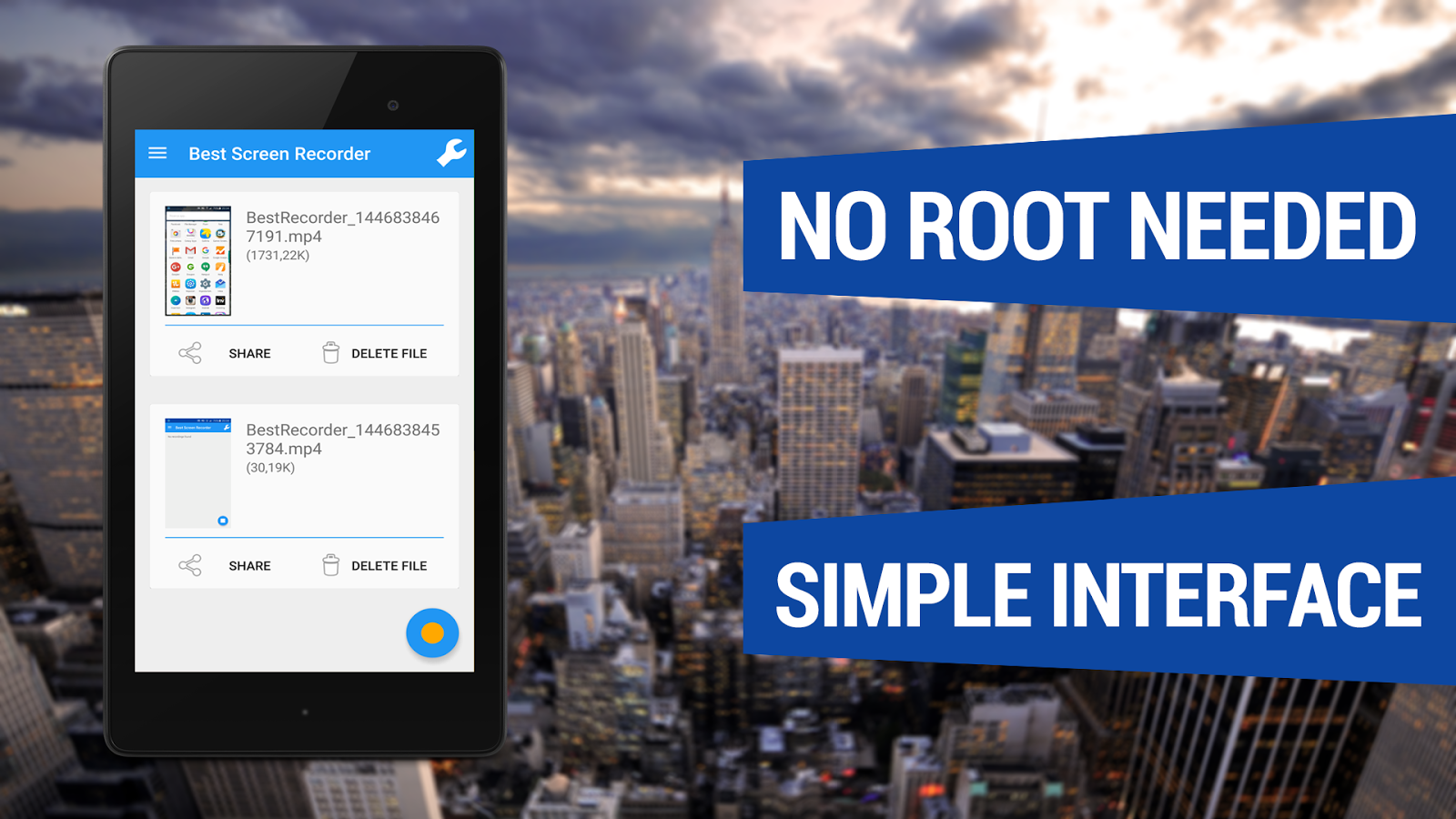
Screen Recorder No-Root
With Best Screen Recorder No-Root you can easily capture your phone/tablet screen to a MPEG4 Full-HD video + audio file at a high frame rate. It is the best screen recording software for Android!
Many users utilize this app to record
- All types of GAMES with Very High Frame Rate!
- Video Tutorials
- Video Calls
- Promotional or demo videos for their apps
- Incoming/Outgoing Phone calls
- Hundreds of other purposes!
In the Settings Menu there are advanced settings that you can customize like Resolution, Frame Rate, Video Bitrate, Starting Countdown, record with or without Audio and the Video Duration.
Here are some other COOL features
- Android Wear compatible
- Front camera screen overlay
- Shake device to stop recording
- Shake device to take a screenshot
- Lock device to stop recording
- You can now record audio
This app records screen without ROOT access on ALL supported smartphones!
How to Install?
- Download apk file drom below link
- Make sure you have enabled Unknown Sources(Settings>>Security>>Unknown Sources)
- Install apk on your android device
- All done, Enjoy
!
10 Useful Tools For Blogger

Creating
1. Drupal – It all starts with the platform and it’s hard to beat the free Drupal. It’s easy to use, optimized for search engines right out of the box, and has a vast library of useful extensions along with a helpful, vibrant community.
2. Evernote – Create a blog post ideas notebook in Evernote to record ideas as they occur. When you start to write consistently, you’ll get inspiration for blog post anywhere, and at anytime. Store them in Evernote by dragging pictures into your notebook, recording audio notes, and compiling research links and notes. You can do this on your laptop or mobile device and the notes are immediately saved and synced.
Another tool for saving ideas for blog posts is Pocket, the terrific read-it-later app. Sign up, install the browser extension, and save research articles as you discover them. Pocket gives you the option to quickly add a tag, like “blog post ideas” tag for quick retrieval.
3. Pomodoro Timer – Lack of sustained focus is a big problem for writers. Instead of trying to knock out a post in two hours without a break and falling victim to distractions, like the constant stream of notification beeps from your social networks, follow the pomodoro technique and focus your writing in 25 minute increments.
4. Images – It’s now time to add an image to your blog post. Creative Commons is a great place to find royalty-free images. It’s a one-stop search engine for Flickr, Clip Art, Wikimedia, and more. I also like Fotolia’s huge library of $1 images.
5. Pixlr – You will occasionally need to edit photos. Ditch the much too complex and expensive Photoshop and give online-editing tool, Pixlr, a try. This free, nifty program even allows you to layer images, the holy grail of photo-editing tools. For Mac users, the native “Preview” applications handles most jobs.
Optimizing
6. Yoast SEO plugin – Another way people find your post is via search. You can help out the search engines by optimizing your posts, but it can get a bit complicated. Let SEO Yoast plugindo the work for you. It incorporates everything from a snippet preview and page analysis functionality that helps you optimize your pages content, images titles, meta descriptions and more. This is a must-have WordPress plugin.
7. Google Keyword tool – If you want to take it up a notch and find out which high-ranking keywords to use, check out Google Keyword Tool. Note that this is a secondary tool. Useful, relevant content is priority number one.
Promoting
8. Social media buttons – Social media dramatically expands your audience. For many blogs Twitter, Facebook, LinkedIn and even Pinterest ranks in the top-5 in referral traffic sources. You’ll need to install social sharing buttons, like Facebook and Twitter on your blog to make it easy for your readers to share. You can install scripts for each or use a plugin like AddThis orShareaholic.
9. RSS Feed – Give visitors to your site the option to get all news posts by placing an RSS icon on your blog. The free Feedburner from Google also provides an option to subscrbe via email. A fee-based alternative is Feedblitz.
Analyzing
10. Google Analytics – Find out which posts are being read, who are reading them, and how they found the posts. The free, comprehensive Google Analytics provides great insight into these and much more. If you can’t wait to check out your traffic numbers, check out the handyAnalytics App for the iPhone. Use the data to help guide your choice of content.
These are just a few of the many tools available to make your blogging life more productive and rewarding. If you have any can’t-do-without tools, please share in the comments below.


